
Visual content has become the baseline expectation across every digital channel — from e-commerce listings and social media feeds to marketing decks and educational materials. Yet for most creators, producing high-quality custom images still means either hiring a designer, navigating complex software, or settling for generic stock photos.
That’s changing fast. AI Image Maker tools have matured to the point where anyone can generate professional-grade, watermark-free visuals from a simple text description — in seconds. SuperMaker AI Image Maker stands out as one of the most accessible and feature-complete options available today, combining a free no-login entry point with a growing suite of multi-model image generation and editing capabilities.
Who This Tool Is Best For
SuperMaker’s AI Image Maker is built for a wide range of creators who share one common frustration: the gap between having a visual idea and being able to produce it quickly and affordably.
- Marketers and e-commerce sellers who need fresh product imagery, ad visuals, or campaign graphics on a tight turnaround — and can’t justify a full photoshoot for every SKU or seasonal promotion
- Content creators and bloggers who need custom, on-brand illustrations to accompany articles, social posts, or thumbnails without paying for stock licenses on every piece
- Educators and trainers who want to turn abstract concepts into engaging visuals for presentations, e-learning modules, or classroom materials
- Indie game developers and digital artists looking to rapidly generate concept art, character references, and background assets without a dedicated art team
- Event planners and small business owners who need promotional visuals, invitations, and thematic graphics quickly and without design software expertise
What these users share is a need for speed, creative control, and output they can actually use — commercially, professionally, or personally — without jumping through licensing hoops or learning a complex tool.
Core Features of SuperMaker AI Image Maker
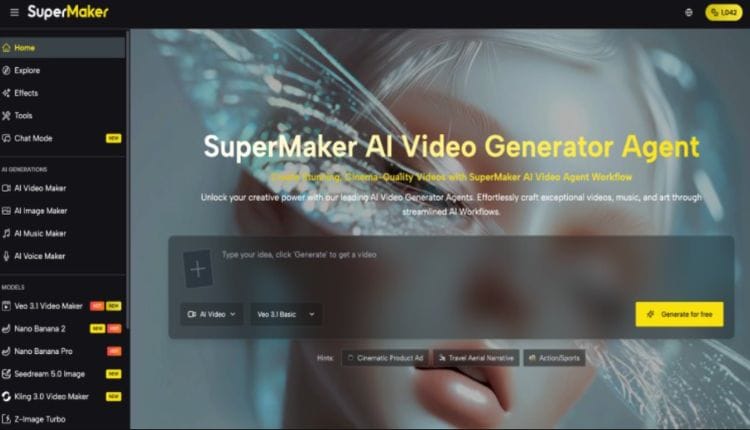
SuperMaker’s AI Image Maker page sits within a broader all-in-one creative platform that also includes AI Video, AI Music, and AI Voice tools — but the image generation module is a fully featured destination in its own right. Here’s what makes it worth using:
Multi-Model Image Generation
Rather than being locked into a single generation engine, SuperMaker offers access to a wide selection of actively updated models. Current options include Nano Banana Pro, GPT Image 2 (4K multimodal), Seedream 5.0, Z-Image Turbo, Flux Kontext Pro/Max, Imagen 4 Ultra, Gemini Flash 2.5, Niji V7, and more — with new models added regularly. This means you can match the right model to the right task: photorealistic product shots, anime-style illustrations, architectural renders, or text-heavy graphics each benefit from different engines. The breadth of available models is one of the clearest differentiators between SuperMaker and single-model tools.
Specialized Image Tools and Effects Library
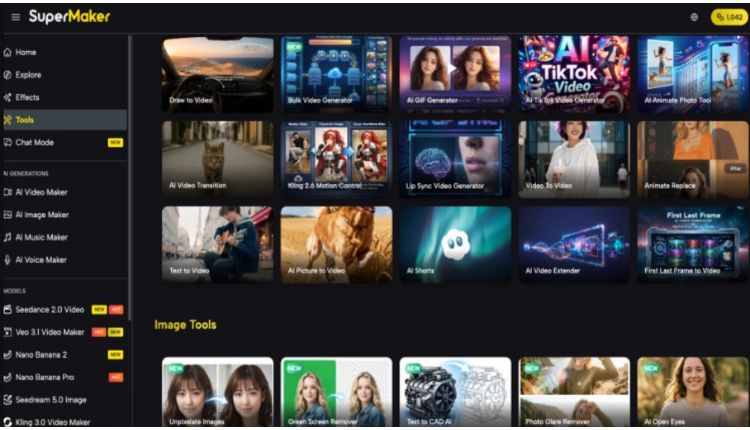
Beyond core generation, SuperMaker offers a growing library of purpose-built image tools: AI Product Photo Generator, Virtual Ring Try On, Remove Text from Image, 2D to 3D Converter, AI Watermark Remover, Magic Erase (object removal), Smart Uncrop/Outpainting, Photo Restoration, AI Anime Generator, Line Art Generator, Bulk AI Image Generator, and dozens more. These tools turn the platform into a practical editing and transformation suite, not just a text-to-image generator.
AI Canvas Workflow Studio: Node-Based Visual Pipeline
The Canvas Studio is an infinite, zoomable workspace where every asset — image, video, text — becomes a draggable node you can wire together into a full production pipeline. Key capabilities include:
- Infinite canvas with auto-save — every node and connection saves automatically in real time, with cloud sync that keeps working even if your connection drops; full undo/redo history is always available
- Multi-model image generation on-canvas — access 9+ models (Gemini 3 Pro, GPT Image 2, Z-Image Turbo, Flux Kontext for style transfer, Seedream, Grok Imagine, and more) directly from any image node, with custom aspect ratios up to 21:9 and 4K resolution
- Text → Image → Video pipelines — connect a text prompt node into an image generator node, then wire that output directly into a Veo 3 or Veo 3.1 video node; the system automatically validates compatible connections so you can’t wire incompatible data types together
- Batch generation per node — generate up to 4 variations from a single node with one click, view them side by side, pick a favorite, or drag any result out to become a new standalone node
- “Based on This” iteration — right-click any generated output to spawn a connected variation node, letting you explore creative directions without losing the original
AI Chat Interface: Conversational Multi-Asset Creation
The Chat mode replaces form-filling with natural language — you describe a project goal and the AI decomposes it into a task plan, shows you that plan before executing, then runs all tasks in parallel. Specific features include:
- Full lifecycle task dashboard — a real-time panel shows the status of every task in the current batch: queued, generating, complete, or failed; no need to refresh or wait for a single output before seeing progress
- Multi-modal output in one conversation — a single chat session can trigger video generation (via Veo 3.1), image creation, AI music composition, and voiceover synthesis; all four media types are orchestrated through the same interface without switching tools
- Context-aware generation from your own assets — upload images or logos into the chat and the AI uses them as style or content references for new generations, ensuring brand consistency across a batch of outputs
- Iterative refinement by conversation — after reviewing results, type a follow-up instruction (“change the music to rock” or “make the background warmer”) and the Chat generates a new batch of tasks based on that delta, preserving the rest of the project context
- One-click preset prompts — built-in starting points include Animate Image, Short Film, Remove Background, Toonify Image, BGM Composer, and AI Voiceover for common tasks that can be launched with a single click before customizing
This cross-tool integration is what separates SuperMaker from standalone image generators — your visuals can move directly from generation into a multi-step pipeline or a conversational production workflow without ever leaving the platform.
How to Use SuperMaker AI Image Maker
- Open supermaker AI Image Maker — no login or credit card needed
- Select a model — Nano Banana Pro for general use, GPT Image 2 for 4K/text-in-image, Niji V7 for anime styles
- Enter your prompt — describe subject, style, and mood; click “Generate with AI” to auto-enhance if needed
- Set preferences — choose aspect ratio, resolution (1K / 2K / 4K), and number of images (1–4)
- Generate — results appear in seconds; swap models or adjust the prompt to refine
- Download — export watermark-free, or send directly to AI Video Maker / Canvas Studio
Comparison: AI Image Maker Tools at a Glance

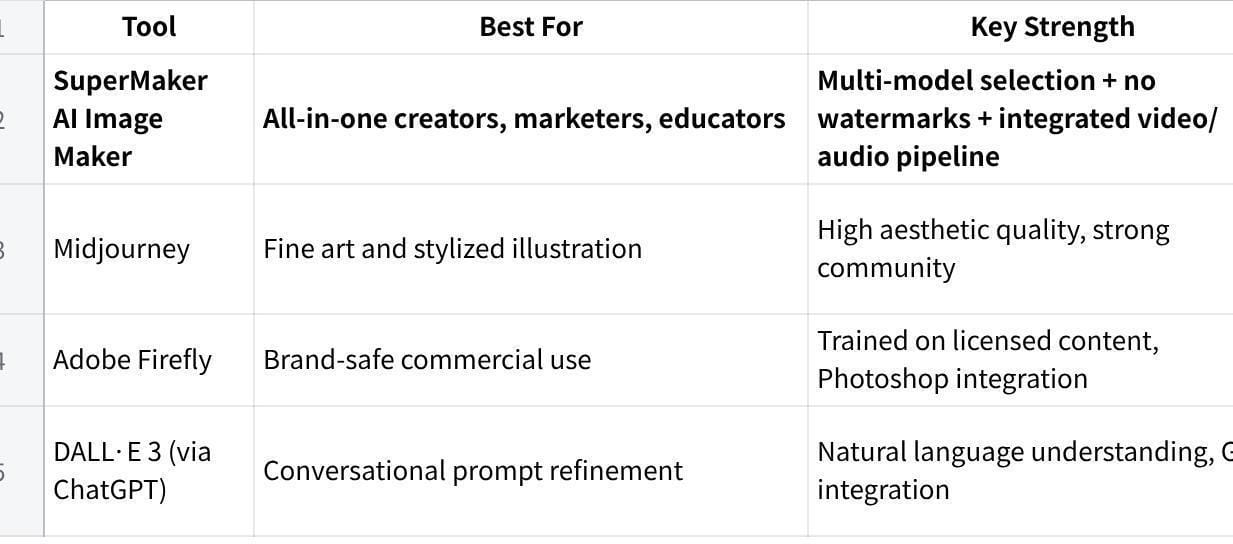
点击图片可查看完整电子表格
SuperMaker’s combination of free access, watermark-free exports, multi-model flexibility, and native integration with video and audio tools makes it particularly well-suited for creators who need image generation as part of a larger production workflow rather than as a standalone task.
Conclusion
The barrier to creating professional-quality visuals has effectively disappeared. Whether you need product photography, marketing graphics, concept art, or educational illustrations, the tools are now fast, accessible, and capable enough to fit into any workflow. If you’re looking for an AI Image Maker that gives you genuine model choice, clean outputs, and a path from still image to full video production — SuperMaker is worth exploring. Start with the free tier at supermaker.ai, experiment with a few prompts across different models, and see how quickly a text description can become a usable visual asset.